Product storage locations are your digital layout of where products physically live — such as aisles, shelves, coolers, freezers, stockrooms, or specific bins.
Before adding products, it’s important to set up your storage locations. Products must be assigned to a storage location in order to be counted.
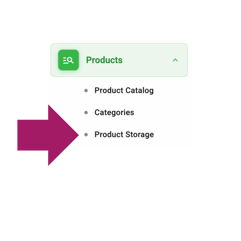
To get started, log into your trakr account and go to the left menu. Expand Products, then select Product Storage.
You’ll see a sample storage location already created. You can rename this to match your space, or use the green button to add new locations.
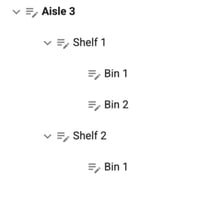
You can be as detailed as needed — down to specific shelves or bins — to match how your inventory is organized in real life. Setting this up thoughtfully will make counting, picking, and locating products much more efficient.
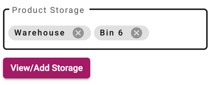
If your products are stored in more than one place, you can assign multiple storage locations to a single item later on. This helps you keep track of inventory across different areas without losing visibility.